和风天气是一个提供天气信息的API,可以方便地集成到Home Assistant中。
登录和风天气控制台,https://console.qweather.com/project?lang=zh
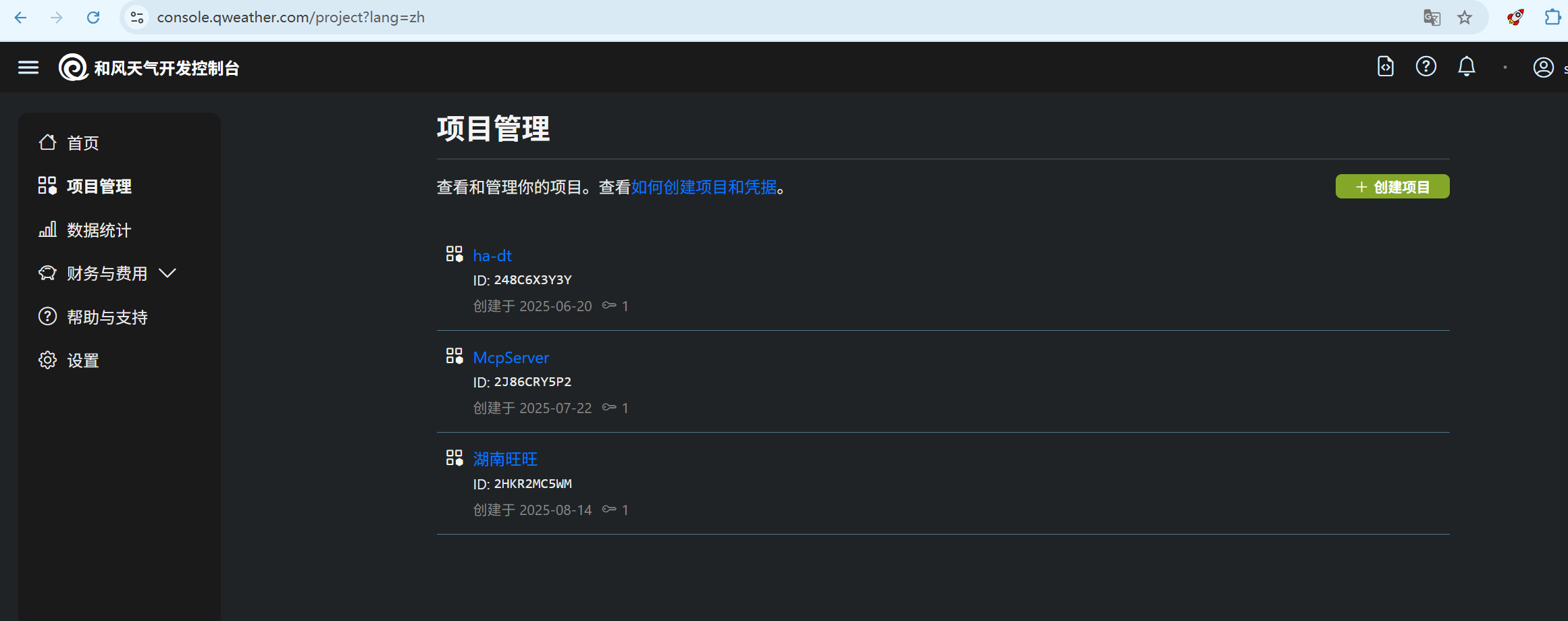
如下图所示,先为此中心创建一个项目,为的是为每个中心使用的api调用次数的统计
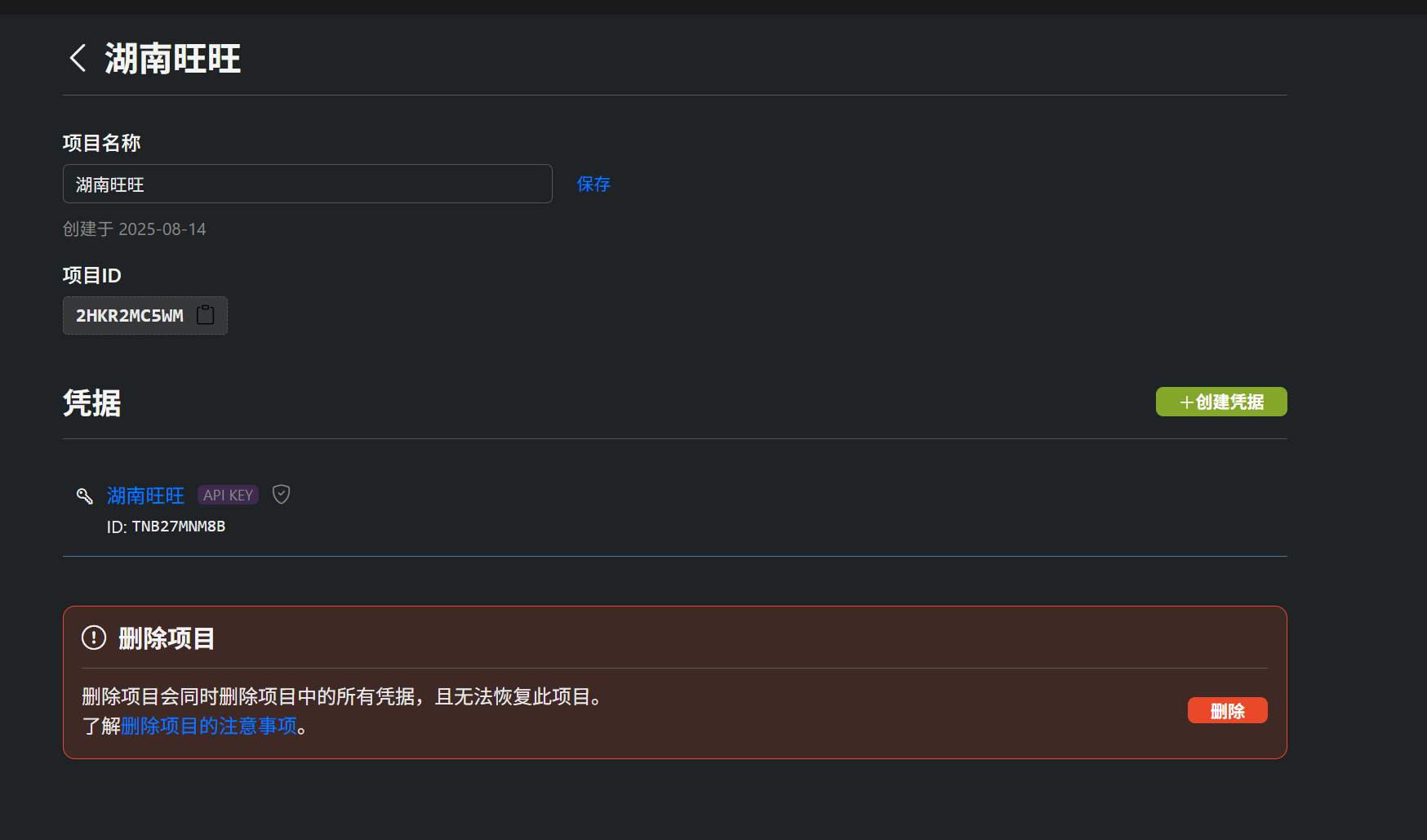
记录下来相关信息
项目名称:湖南旺旺
项目ID:2HKR2MC5WM
API-KEY:885d8b06871b445fbc1beb2eda11cd6c
开发者ID:Q137B51456
API-Host:nd4up3fy3t.re.qweatherapi.com
查询城市区域代码的的址:
git clone https://github.com/qwd/LocationList.git.com/docs/api/geoapi/
打开的配置文件 configuration.yaml,添加以下内容:
weather:
  - platform: heweather
    location: 101210301        # 你的区域代码城市id
    host: nd4up3fy3t.re.qweatherapi.com  # API Host
    key: 885d8b06871b445fbc1beb2eda11cd6c                 # 你的API KEY
其中,要更换的内容主要有,区域代码城市id、API Host和API KEY。
如下图
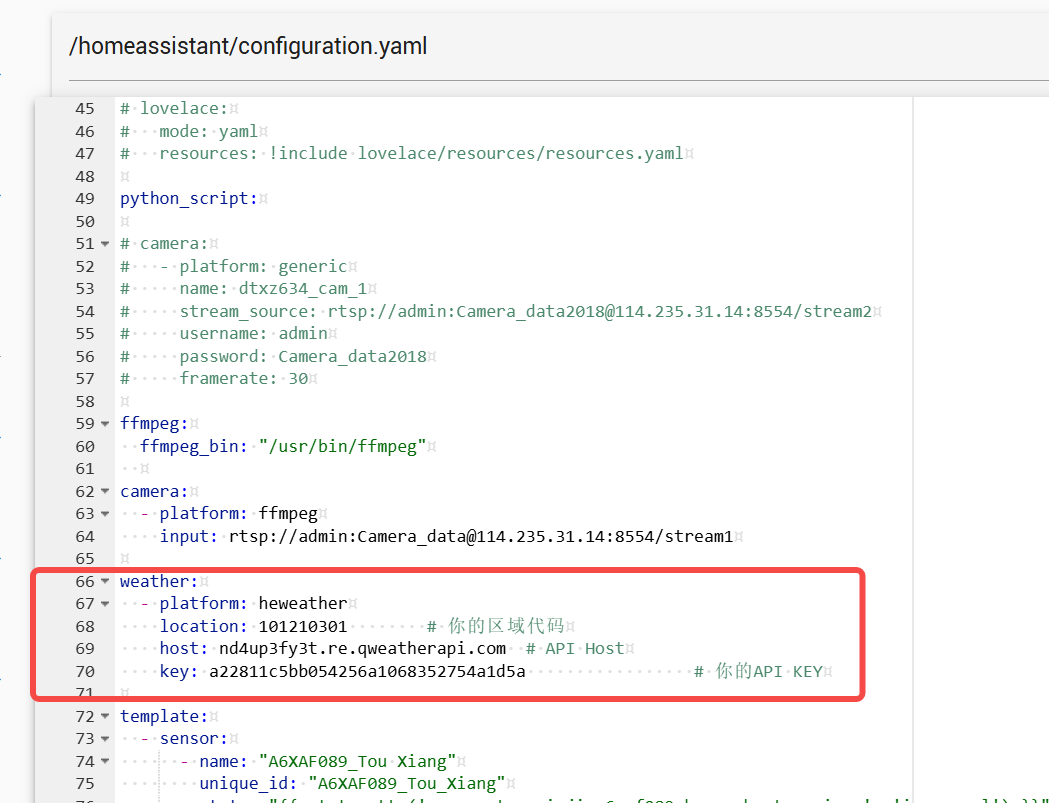
这里一定要配对正确的城市id区域代码,否则会报的天气不准。
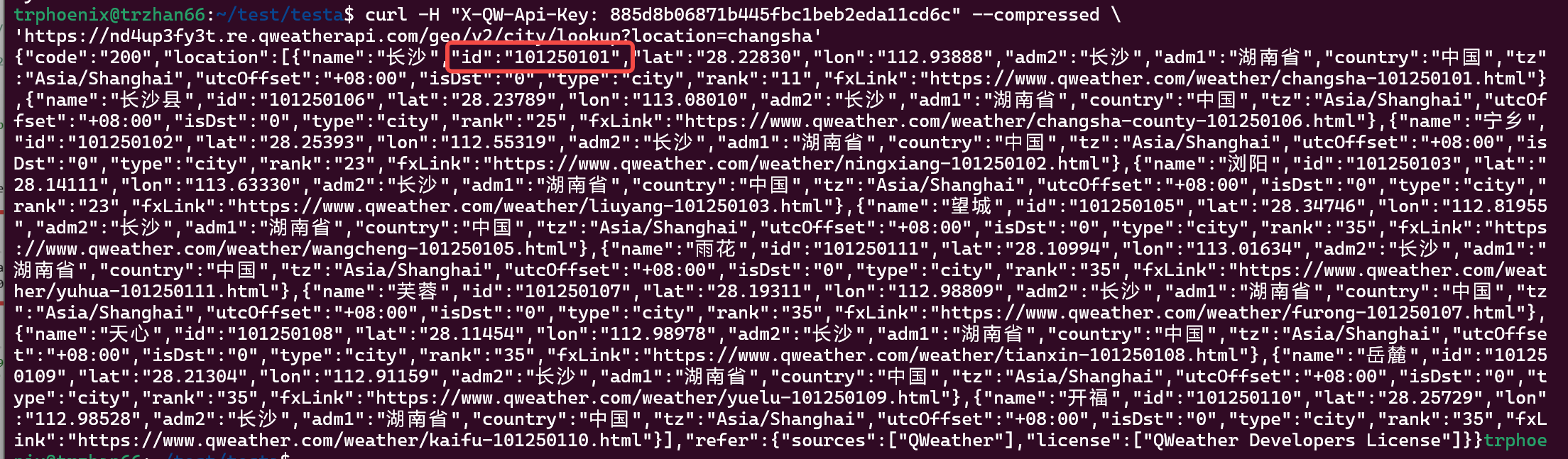
可以通过此文档提供的API,查询 https://github.com/qwd/LocationList.git.com/docs/api/geoapi/
其中:
X-QW-Api-Key 为你的API密钥。
location 为你要查询的城市名称拼音.
curl -H "X-QW-Api-Key: 885d8b06871b445fbc1beb2eda11cd6c" --compressed \
'https://nd4up3fy3t.re.qweatherapi.com/geo/v2/city/lookup?location=changsha'
如下图所示